
Searching the Tarrant County Court Docket
Pick the court before you type a name. For district civil, family, and felony settings, begin at the District Clerk Subscriber Access portal. County Courts at Law, probate courts, county criminal courts, and Justice of the Peace courts post much of their public material through Odyssey Public Access. A city citation stays with the municipal court that issued it. The Second Court of Appeals runs a docket of its own. The federal courts do too.
Search by cause number or citation number whenever you have it. A number beats a common name for precision. It also helps the clerk pull the right file fast. Work in this order:
- Read the citation, notice, or pleading for the court and case level.
- Choose DCSA, Odyssey, the assigned JP page, or the issuing city portal.
- Search by case number first, then by an exact name and filing range if needed.
- Read events in date order and separate a setting from a disposition.
- Confirm an urgent date with the court coordinator or clerk.
- Request the filed document from the clerk when the portal shows only an index.
A blank result is not the end. First, confirm you searched the right court level, because a district lookup will not catch every county, precinct, or municipal case. Even then, the miss may come down to spelling, a filing lag, redaction, sealing, or a record held in a different system.
Tarrant County Docket Portal Map
No single database holds every Tarrant County docket. Custody splits the map. The District Clerk keeps district civil, family, felony, and related records. The County Clerk holds County Courts at Law civil files, probate matters, county misdemeanors, and appeals, while JP clerks and municipal clerks each keep their own lower-court records. Every portal's coverage follows that same division of labor.
| Matter | First official source | Fallback |
|---|---|---|
| District civil or felony | DCSA docket settings | District Clerk counter or copy request |
| County civil, probate, misdemeanor, JP | Odyssey case search | County Clerk or assigned precinct |
| City citation | Issuing municipal court | City clerk by phone or at the counter |
| State appeal | Second Court of Appeals | Appellate clerk |
| Federal case | PACER | Northern District of Texas clerk |
Statewide coverage comes from re:SearchTX, which helps when a search reaches past one county. Tarrant County, though, had its link to that service turned off for now. That word comes from the County Clerk. So for County Clerk case types, Odyssey stays the go to docket search. If you track a Tarrant County court docket over time, note the date you checked and where you saw it. Portal menus and what they cover can shift.
Inside a Tarrant County Court Docket
A docket is a chronological index. It is not a transcript, and not always the full case file. What it does well is identification. It shows the court, the parties, filed events, hearing settings, orders, and case status. Images attached to those lines may be limited even when the entry itself is public. Treat every field as a clue to the court record. Never treat it as a verdict on the merits.
| Case number | The court's cause number, used to match the right file and request copies. |
|---|---|
| Parties | Public names or roles, subject to redaction and access rules. |
| Filing or event | A dated entry showing that a pleading, return, motion, or order was recorded. |
| Setting | A scheduled hearing, trial, plea, or other event that may later move. |
| Court and judge | The assigned court and public judicial office. |
| Disposition | The recorded result when the court has entered one. |
A dead image link does not make the docket entry false. The document may sit behind a clerk request. It may never have been imaged, or may be restricted by rule or court order. The same caution applies to hearings. An open hearing does not put every filed exhibit on public display.
Tarrant County Docket Terms
Tarrant County pages mix the words "docket," "case records," "calendar," and, in older material, "Register of Actions." The labels overlap but are not identical, and a quick vocabulary check prevents many docket search errors.
- Setting
- A planned court event. It is not proof that the event occurred or that the case ended.
- Reset
- A change that places the matter on another date.
- Continuance
- A delay granted or ordered by the court.
- Disposition
- The result recorded for a charge, claim, or case.
- Docket entry
- A line in the official event history, which may point to a separate filed document.
Civil calendars here add detail. A Tarrant County setting may list setting count, discovery or trial type, and jury or non-jury status, all of which describe scheduling and classification rather than who should win. A criminal setting proves even less. It never establishes guilt.
Courts That Keep Dockets in Tarrant County
Let the court name on the paperwork set your starting point. Tarrant County runs civil and criminal district courts, County Courts at Law, county criminal courts, probate courts, eight Justice of the Peace precinct courts, and municipal courts. That is a lot of tiers. Each keeps its own docket with its own custodian.
| Court | Typical docket | Custodian |
|---|---|---|
| District Court | Major civil, family, felony | District Clerk |
| County Court at Law | County civil and lower-court appeals | County Clerk |
| County Criminal Court | Class A and B misdemeanor | County Clerk |
| Probate Court | Estates, wills, guardianships | County Clerk |
| Justice of the Peace | Lower-value civil, eviction, traffic, Class C | Assigned precinct clerk |
| Municipal Court | City ordinance, parking, traffic, Class C | Issuing city clerk |
A countywide name search can miss a city matter entirely. The reverse trips people up too. A municipal citation never becomes a District Clerk record just because the city sits inside Tarrant County. Probate has its own wrinkle. The index may be visible while protected medical or financial documents stay off limits.
Tarrant County Split-Clerk Records
Two offices split the record-keeping. The Tarrant County District Clerk backs the district courts and their civil, family, felony, and related work. The Tarrant County Clerk handles County Courts at Law, probate, county criminal, and other county-level records. Grasp that split and any Tarrant County court docket search moves faster.
The District Clerk's office supports 28 elected courts plus 22 associate judges and magistrates. In a single year it reports more than 61,000 new case files and about 60,000 magistrate cases. Volume like that is why the case number matters and why contacts go court by court. It also means a fresh filing may not show up immediately.
Thin results call for routing. Send the request to the clerk tied to the court named in the case, not to whichever office answers first. Asking either office to sweep every Tarrant County system rarely works as well.
How to Find Tarrant County Court Dates
Court dates depend on the level of court. DCSA posts criminal and civil settings for District Clerk courts. The civil district courts add judge-specific hearing and trial dockets. The county warns that coordinators update those civil calendars. A coordinator is the right call for a late change. Odyssey carries calendars for County Clerk case types and JP locations.
A Tarrant County court calendar entry can show the court, date, time, room, and setting type. Municipal methods differ. Fort Worth lets you search by name, courtroom, time, or case number. Arlington publishes a weekly list it calls incomplete. The detailed Tarrant County court dates instructions cover resets, missed settings, and ways to confirm.
Confirm urgent settings. A posted date can change. Contact the assigned court or coordinator before travel when timing is critical.
A reset is not a dismissal. It only means the event moved. A disposition line is the stronger sign that the court entered a result, though the signed order still controls.
Tarrant County Civil Calendar Control
Civil district calendars work a bit differently in Tarrant County. The court coordinator, not the District Clerk, keeps the hearing and trial docket current. The clerk still holds filed pleadings and signed orders. Need a different hearing time? Go through the court's page or coordinator. Need the motion or the signed order itself? That belongs to the District Clerk.
The county's civil docket hub pulls each court's current material into one place, coordinator warning included. A sample trial calendar there lists the cause number, case type, setting type, setting count, jury status, judge, and contact details. Those fields identify the event. They do not replace the case history.
Treat remote links with care, too. A WebEx or Zoom address never guarantees that every proceeding is open to remote attendees. Read the court's notice and its recording limits before you join.
Public Access to Tarrant County Court Dockets
Texas sorts records into three buckets. Filed case documents normally come from the proper clerk. Judicial administrative material may fall under Rule 12. County operational records may fall under the Texas Public Information Act instead. One request label will not fit all three.
Key Texas access rules:
Texas Government Code Chapter 552 governs public access to county government information, subject to exceptions.
Texas Rule of Judicial Administration 12 governs many judicial records other than court case records.
Texas Rule of Civil Procedure 21c requires handling and redaction of sensitive data in civil filings.
Texas Family Code Section 58.008 restricts access to specified juvenile records.
A public docket can show an event while the linked image stays hidden or redacted. Ask the custodian about access. Guessing at the document's contents helps no one. Chapter 55A also limits disclosure of expunged criminal records.
Missing Tarrant County Docket Images
"Case found" and "document available" are two different outcomes. A public index can list the case number, court, filing date, status, and next hearing while withholding a sealed filing, a protected address, juvenile material, or sensitive personal data. Older records may be missing from the online image set altogether.
Tarrant County's digitization arrived in waves. Remote lawsuit filing began in 1995. Web image access followed in 2004. A major e-filing change took effect in 2014. That mixed timeline explains why some cases have rich digital images while others require a counter or archive request.
Never send a Public Information Act request as a workaround for a seal. A sealed order or expunged record keeps its access limit no matter what. Ask the clerk instead whether a public copy exists and which request method applies.
Docket Records at the Tarrant Clerk Offices
Public counters split by subject, so pick the right one before you go. Bring the case number. Know whether you need a plain or certified copy. District Clerk research can cost more when staff must locate a file without its number. County Clerk and JP offices set their own copy rates and steps.
District Clerk Civil Records
Tom Vandergriff Civil Courts Building
100 North Calhoun Street, second floor
Fort Worth, TX 76196
817-884-1574
County Clerk Civil Records
1895 Courthouse
100 West Weatherford Street, Suite 130
Fort Worth, TX 76196
817-884-1195
The District Clerk locations source shows where records can be viewed.
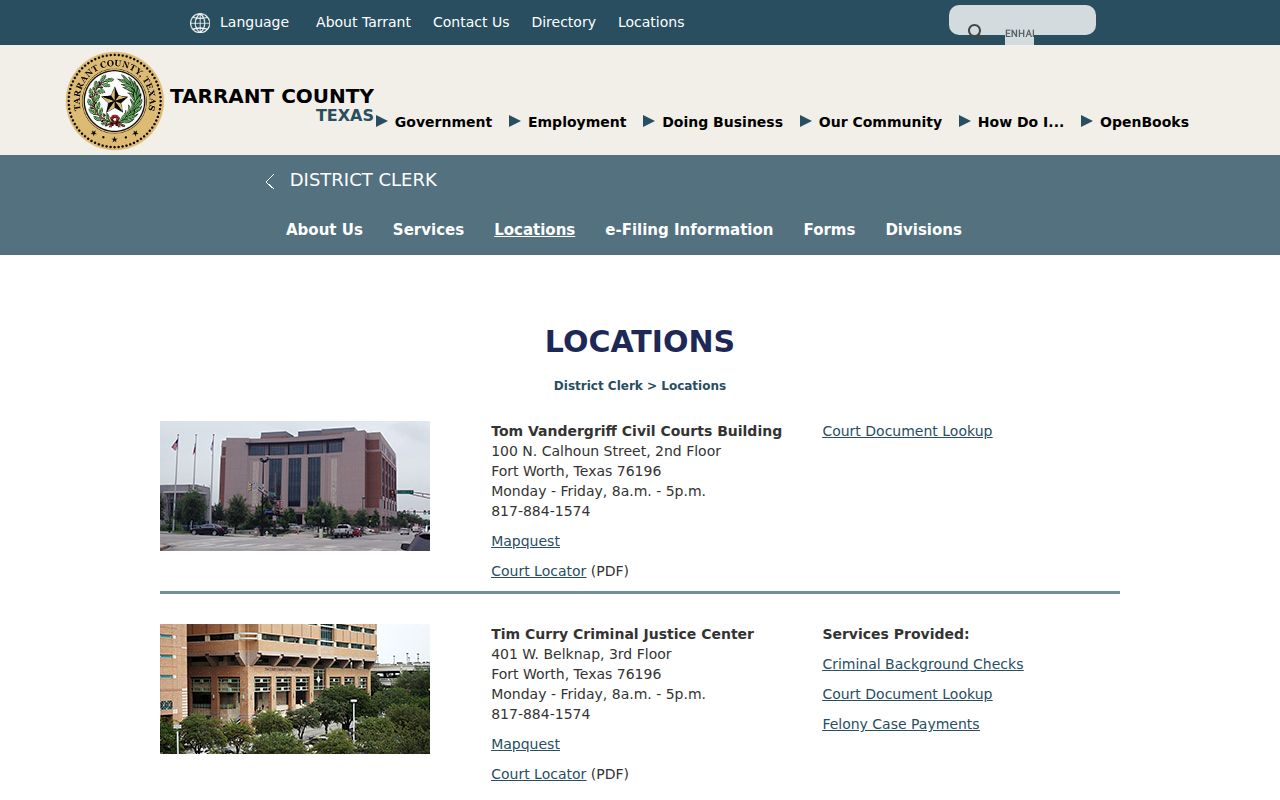
Counter map: each docket type ties to a real Tarrant County counter, not one generic courthouse.
Tarrant County Copy Routes and Fees
The District Clerk copy page starts with the case number. Without one, a $5 records-research charge applies. Plain paper copies run $1 per page. Electronic non-certified copies cost $1 total for one through ten pages, then 10 cents per page from page eleven. Certification adds a $5 seal charge.
| District Clerk item | Published amount |
|---|---|
| Research without case number | $5 |
| Non-certified paper copy | $1 per page |
| Electronic copy, 1 to 10 pages | $1 |
| Electronic copy after page 10 | 10 cents per page |
| Certification or seal | $5 plus copy charge |
County Court at Law copies take a different route. Call the County Clerk copy line, identify the court, document, case number, and page count, pay through the linked service, then contact the division. JP rates vary by precinct, so treat a JP1 amount as local, not countywide.
Tarrant County Docket Technology
Tarrant County's docket tools come from several eras. DCSA serves current district criminal and civil settings, with paid subscriber access to broader images. Odyssey handles many County Clerk and JP records. eFileTexas is the statewide filing system; re:SearchTX is the statewide search concept. The systems trade court data. Coverage is not identical.
The official DCSA landing page lays out the criminal and civil entry points.
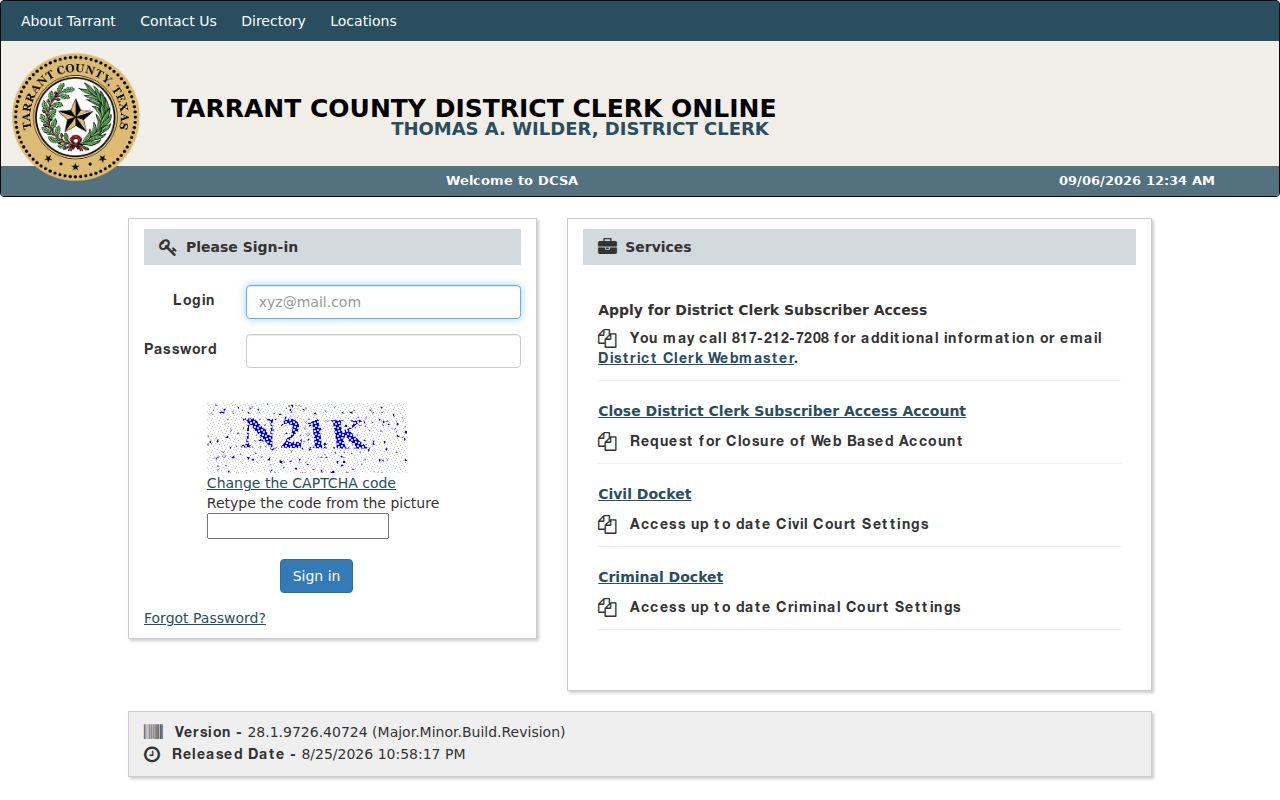
That entry point works well for a current district setting. A filed image may still require subscriber access or a clerk request. The criminal courts source explains how felony and misdemeanor cases are divided.
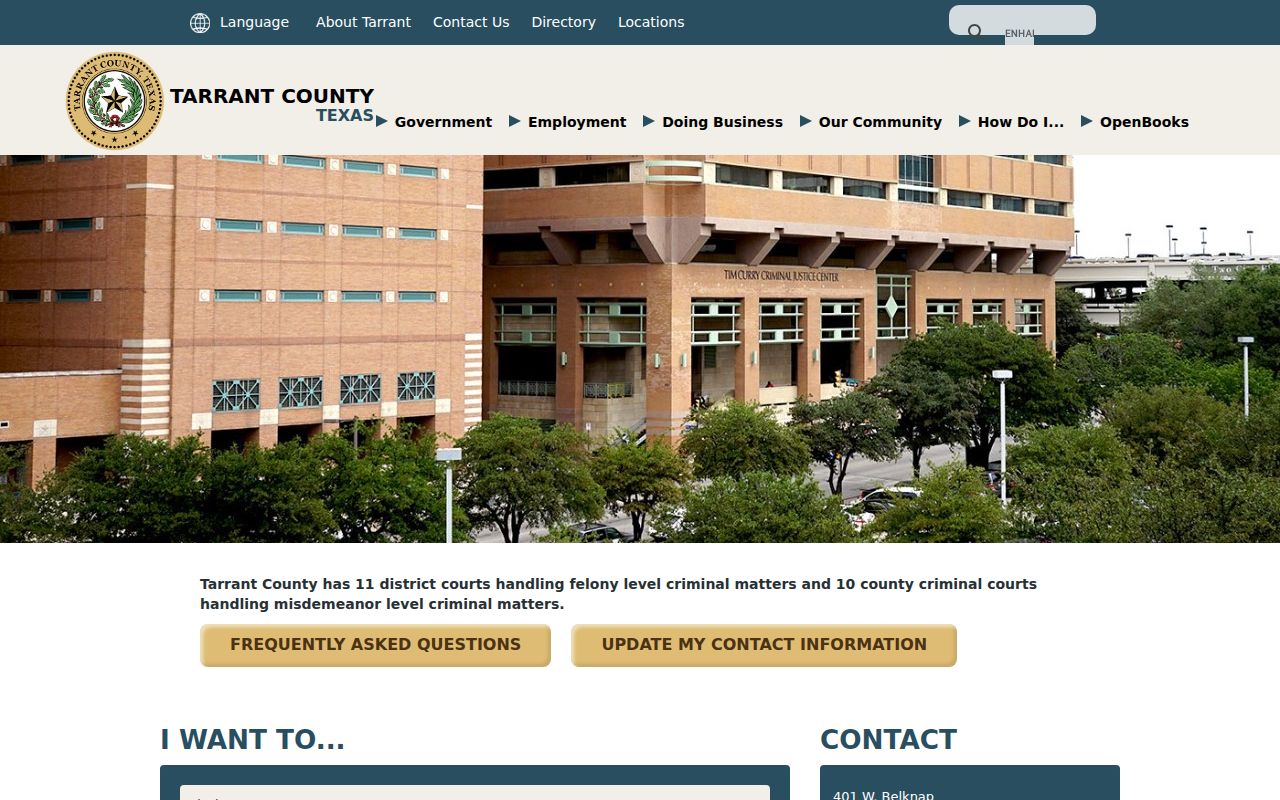
It reinforces why a searcher must choose the right clerk before choosing a portal.
Tarrant County Courthouse Context
Fort Worth is the county seat, yet docket access spreads across town. Tarrant County runs the 1895 Courthouse, a civil courts building, a criminal justice center, a family law center, a juvenile justice center, and precinct sites. The building usually follows the court type. The physical map mirrors the online split.
The official county overview supplies the local government context.
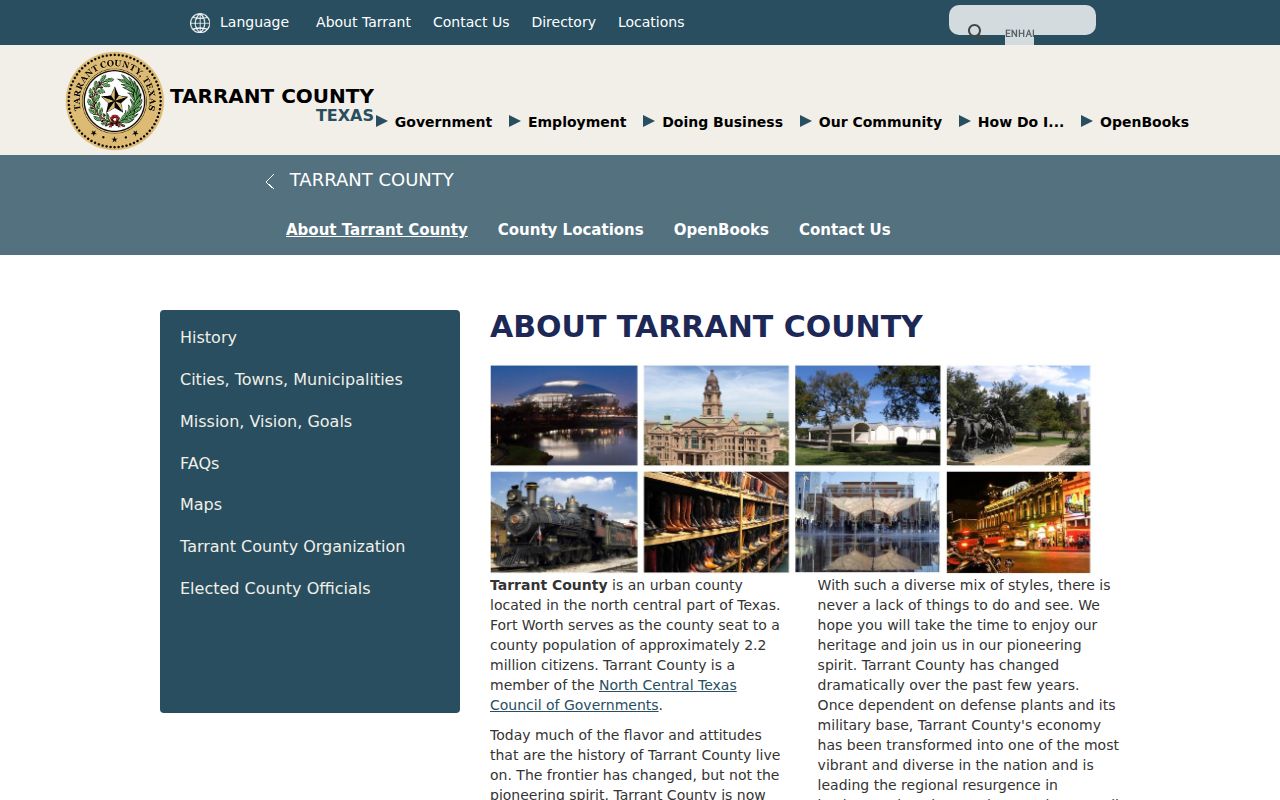
Local history shapes access as well. A courthouse fire in 1876 destroyed early records, so a missing historic document may simply never have survived. That is a different problem from a sealed modern image or a portal delay, and it connects the docket system to the county that runs its local offices.
Tarrant County Court Dockets by City
Each of the top five cities runs its own municipal court system. Their pages draw on 2020 Census figures and official court sources. City courts mostly handle ordinance, parking, and traffic matters. Class C cases land there too. County and district cases live in separate Tarrant County systems.
Fort Worth Docket Search
918,915 residents. Search by name, courtroom, time, or case number.
Arlington Docket Search
394,266 residents. Use the weekly list, then verify because it is incomplete.
Grand Prairie Docket Search
196,100 residents. The city offers four public search modes.
North Richland Hills Docket Search
69,917 residents. The clerk phone is the stable portal fallback.
Euless Docket Search
61,032 residents. Confirm the temporary Hurst location.
Use the city named on the citation. A city docket and a Tarrant County JP docket are different records, even for the same Class C charge.
Map and Directions to the Tom Vandergriff Civil Courts Building
Tarrant County's ten civil district courts and the District Clerk's principal civil-records counter are at the Tom Vandergriff Civil Courts Building, 100 North Calhoun Street, second floor, in downtown Fort Worth. The county's eleven felony criminal district courts and the District Clerk's criminal-record functions sit in a separate downtown building, the Tim Curry Criminal Justice Center at 401 West Belknap Street, so a felony filing and a civil district filing are not handled at the same counter.
Tom Vandergriff Civil Courts Building (District Clerk Civil Records)
100 North Calhoun Street, second floor
Fort Worth, TX 76196
817-884-1574
Monday through Friday, 8 a.m. to 5 p.m.
Tim Curry Criminal Justice Center (Felony Courts)
401 West Belknap Street, third floor
Fort Worth, TX 76196
817-884-1574
Monday through Friday, 8 a.m. to 5 p.m.
Bring the case number when possible; the District Clerk may charge a research fee to locate a file without one. A felony record-copy request routes to the District Clerk's criminal-record contacts rather than the civil counter above, and the County Clerk's separate 1895 Courthouse counter handles probate and County Court at Law records instead of either District Clerk building.