
Searching Tarrant County Civil Dockets
Figure out the court before anything else. Is the case in a district civil court, a County Court at Law, probate, family, or Justice Court? The District Clerk keeps district civil and family records. The County Clerk holds County Courts at Law and probate records, and each JP clerk keeps that precinct's cases. Skip this step and the right name lands in the wrong database, a common failure. For current district settings, use the DCSA Civil Docket. County Clerk case records and calendars live in Odyssey Public Access. Then follow a narrow sequence:
- Read the filing or notice for the cause number and assigned court.
- Choose DCSA for a district setting or the correct Odyssey location for a County Clerk case.
- Search by cause number before trying a party or attorney name.
- Read events in date order and distinguish an index line from an image.
- Ask the proper clerk for a copy or the coordinator for a current setting.
Write down the portal address and the date you opened it. Civil calendars change, and the Tarrant County civil docket hub warns that district calendars are updated by individual coordinators, not the District Clerk.
Tarrant Civil Docket Search Routes
Tarrant County runs ten district civil courts plus three County Courts at Law. The district benches are the 17th, 48th, 67th, 96th, 141st, 153rd, 236th, 342nd, 348th, and 352nd. Their calendars are linked court by court. County Courts at Law 1 through 3 go through the County Clerk. They use the Odyssey route. The general civil jurisdiction of those courts reaches $250,000. Official local descriptions set that ceiling, subject to statutory limits and the type of case.
| Civil route | Custodian | Use it for |
|---|---|---|
| District civil | District Clerk | Case file, filings, and DCSA settings |
| County Court at Law | County Clerk | Odyssey case record, calendar, and copies |
| Probate | County Clerk | Estate, guardianship, trust, and related cases |
| Justice Court | JP clerk | Precinct civil cases up to the researched jurisdictional limit |
The district court directory gives you each court's number, building, and coordinator. Never pick a court from a city name or a guess at the claim amount. Tarrant local administration rules control assignment. Those rules include random assignment among the district courts. So the number governs, not the name.
The county's own Tarrant County source presents the ten-court overview with each court listed.
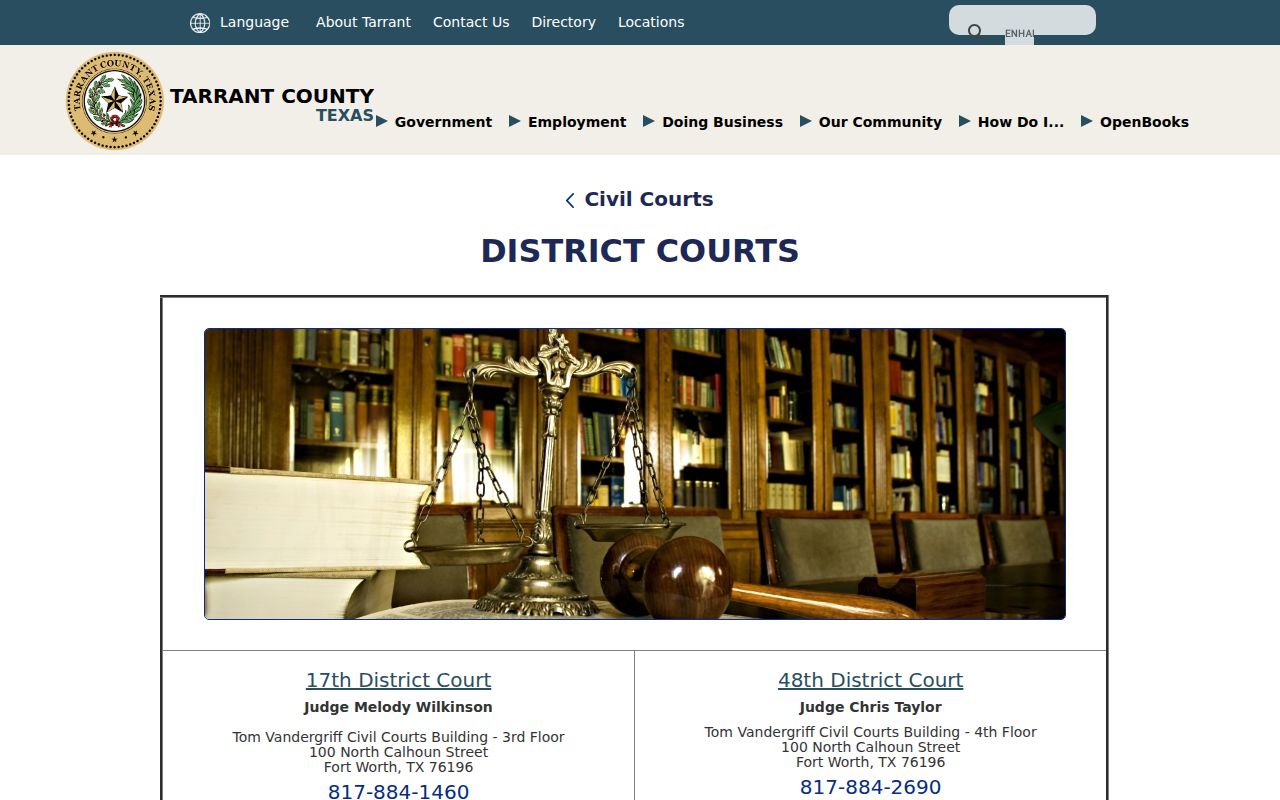
The directory makes clear why the court number and its coordinator anchor any reliable civil docket search.
Inside a Tarrant Civil Docket
Think of the civil docket as a register of events. One line can point to the filing, service, answers, motions, settings, orders, judgment, costs, or appeal activity. The docket line is only a short label. The operative text usually sits in the linked image.
| Cause number | The court identifier and strongest search or copy-request key. |
|---|---|
| Caption | The case title or party-description line; confirm identities with care. |
| Case type | A broad category such as contract, injury or damage, family, or probate. |
| Filing and service | When the clerk recorded pleadings and when process was issued or returned. |
| Motions and orders | Requests and court directives; the image controls the exact terms. |
| Setting | A hearing, discovery, pretrial, or trial event that may later move. |
| Judgment | A formal decision that may be followed by costs or appeal entries. |
No docket entry decides the merits on its own. "Discovery" is just a scheduling label, and "jury requested" notes a demand or a calendar status. Check any judgment entry against the signed judgment.
Tarrant Coordinators Update Civil Settings
The civil district docket hub is blunt about who does the work. Individual court coordinators update civil dockets, not the District Clerk. The clerk keeps the case record. For a current hearing or trial setting, the coordinator is the practical authority.
That warning sits on the county's own docket hub page. So do the links to each court's docket.
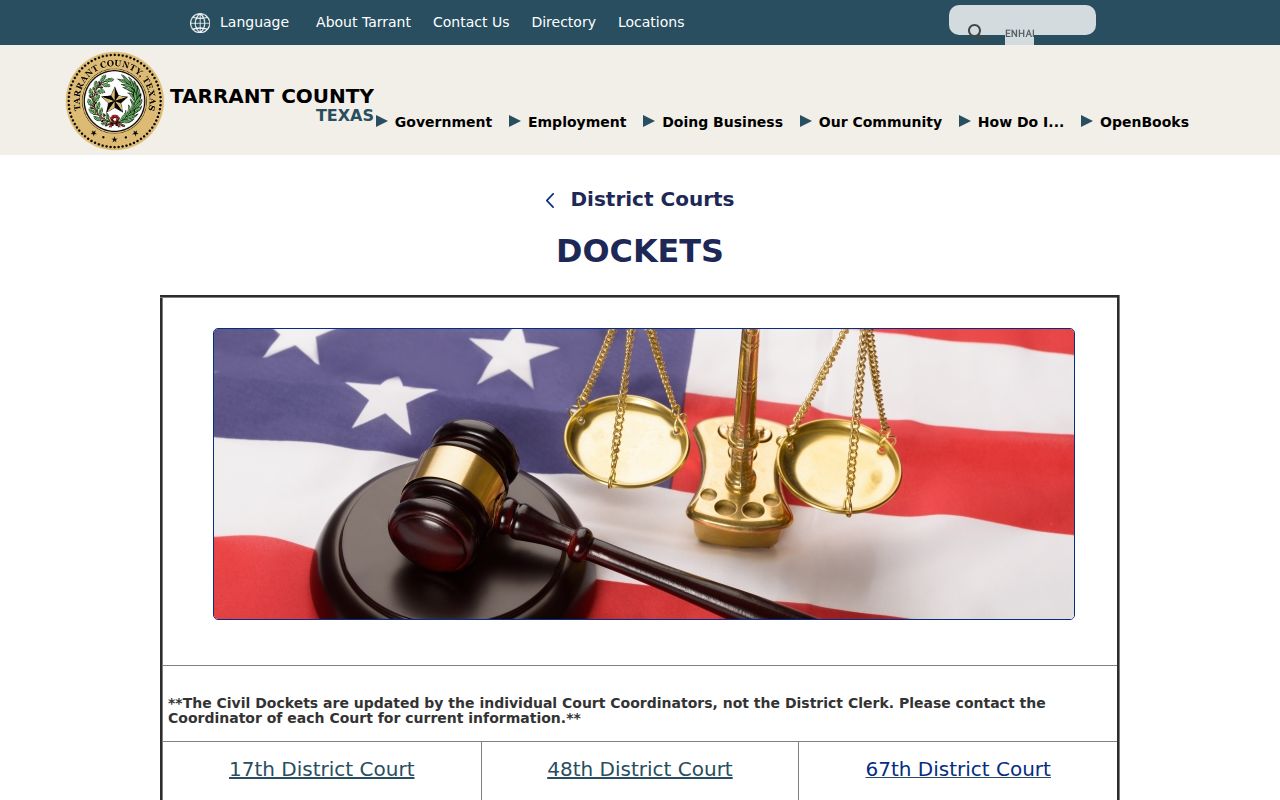
This split in duties explains why a clerk copy desk cannot always fix a last-minute calendar problem. Find the court in the docket, then call that court's coordinator.
Current date rule: A portal setting is a starting point. Confirm an urgent Tarrant County civil hearing with the assigned coordinator.
Civil Case Types on the Tarrant Docket
Tarrant County civil dockets span more than one court tier. District calendars sort cases into categories. Examples include contract or debt, other civil, and injury or damage involving a motor vehicle. Family matters are district cases. They can carry added access limits, though. County Courts at Law hear qualifying civil matters and lower-court appeals. JP courts handle assigned claims, evictions, and debt matters within their jurisdiction.
- Contract, debt, and other commercial disputes
- Injury, damage, and tort matters
- Property and real-estate disputes
- Family and parent-child matters in district courts
- County Court at Law civil matters and qualifying appeals
- JP claims, evictions, and assigned debt cases
Probate Courts 1 and 2 cover wills, estates, guardianships, trusts, mental-health commitments, and related civil matters. Because those files sit with the County Clerk and raise distinct privacy issues, probate becomes its own search path.
Tarrant Trial Calendar Fields
The 48th District Court calendar offers a local model for reading a trial list without copying private case details. Cases are grouped by date or week. Each line may show cause number, caption, case type, setting count, setting type, jury request or non-jury status, judge, coordinator, administrative clerk, and a public phone. The layout itself is public.
The official 48th District Court calendar shows the full field layout.
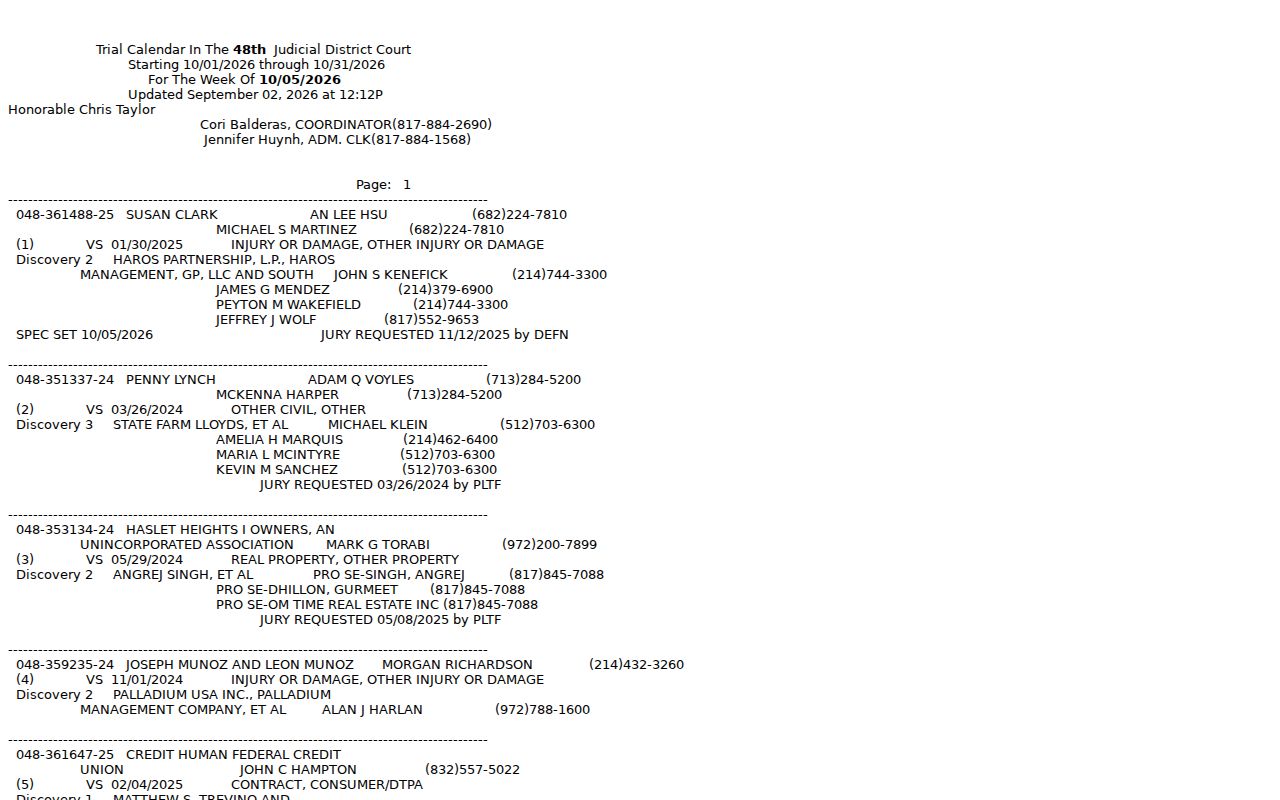
The calendar keeps scheduling data apart from the full case file. Use it to find the assigned week and the staff contact, then pull pleadings and signed orders through the record system.
- Setting count
- A first, second, or later listed setting; it does not explain why an earlier date moved.
- Non-jury
- A bench-trial or non-jury calendar indicator.
- Coordinator
- Court staff responsible for scheduling information.
- Administrative clerk
- A public staff contact identified on some court calendar pages.
Tarrant Civil Docket Settings and Hearings
A civil setting can take many forms. It might be a discovery event, status conference, motion hearing, pretrial setting, mediation milestone, jury trial, or non-jury trial. It is a scheduled event, not an outcome. A reset or continuance moves it. A nonsuit or disposition may remove the need for a later setting. But the signed filing or order should still be reviewed.
For each setting, capture the date, time if shown, court, setting type, courtroom, coordinator, and source timestamp. Then scan the chronology for a later event. The dedicated Tarrant County court dates resource explains date verification across court levels.
The 2026 criminal calendar rules do not govern the civil docket. Civil court pages and court-specific orders control. That distinction matters when you move between DCSA's civil and criminal choices.
Tarrant Civil Docket Copy Routes
A docket entry and a filed document are not the same product. Request District Clerk copies with the cause number in hand. Fees fall into four tiers. The schedule splits them into non-certified paper, non-certified electronic, certified paper, and certified electronic copies. Skip the number and a $5 records-research charge applies. Certified mail requests follow the stated mailing process and require a self-addressed stamped envelope.
County Court at Law papers run through a different office. Use the County Clerk copy workflow instead. Call 817-884-1069 first. Have the copy type, court, document, case number, and page count ready before paying anything. Check current fees against the January 2026 schedule. Older notices can differ.
Counters stay open to walk-in visitors too. One quick call can route you to the right division before you travel. Mail and electronic delivery hinge on the certification you request. Clerk instructions matter too. The county Public Information Act portal covers administrative records rather than clerk court copies.
Tarrant Civil Docket Access Rules
A public index does not always mean public images. Texas Rule of Civil Procedure 21c requires redaction of sensitive details, including Social Security and tax-identification numbers, account data, birth dates, home addresses, and the names of minors. Family, child-related, guardianship, and sealed documents get extra protection. So a Tarrant County civil docket entry that shows an event but no image may simply reflect lawful redaction or an access control.
Key rules: Texas Rule of Civil Procedure 21c governs sensitive-data handling in civil filings. The judiciary open-records policy distinguishes court case files from Rule 12 administrative judicial records and county records under Chapter 552.
The statewide re:SearchTX portal describes cases, filings, document text, and hearings, but Tarrant’s County Clerk says its connection is temporarily deactivated. Odyssey and District Clerk sources govern the immediate local workflow. Secure Attorney Access excludes sealed and non-public images.
A missing civil docket result can also reflect the wrong clerk, a portal delay, or a narrow search. Recheck the cause number and court before drawing a conclusion.
Verify Tarrant Civil Court Assignment
Tarrant local administration rules split civil filings three ways. There are County Court at Law matters, exclusive district matters, and cases where jurisdiction overlaps. Papers filed with the District Clerk are randomly assigned among the district courts. Geography alone picks nothing. The first digits in a cause number are not the official assignment.
Trust the court named on the latest filing or order. If a portal result disagrees, have the clerk confirm the assigned court. Ask the coordinator to confirm the live setting. Those are separate questions, and separate staff usually answer them.
Note: Date any Tarrant County civil docket note you save. Court assignments, settings, and document availability can all change.