
Searching Tarrant County Criminal Dockets
The cause number is your best anchor. Grab it from any court paper first. Then sort the case. Is it a felony, a Class A or B misdemeanor, or a Class C matter? In Tarrant County, the District Clerk supports felony records. The County Clerk keeps county criminal misdemeanor records. Justice of the Peace and municipal clerks hold their own Class C cases. That split decides the search tool. It also decides the office that can hand you a copy.
For current criminal settings, the District Clerk DCSA portal is the practical first stop. The County Clerk routes its case records and calendars through Odyssey Public Access. Use these steps:
- Read the citation, bond paper, or notice for the exact court and cause number.
- Choose the criminal docket in DCSA for felony settings or the correct Odyssey location for a County Clerk case.
- Search with the cause number, then narrow by court, filing year, or exact name if needed.
- Compare the setting date, type, courtroom, and current procedural status.
- Call the assigned clerk or court coordinator when a near-term setting is unclear.
Match a name-only result with care. Check the court, the year, and the case category before you rely on it. A blank result can mean the wrong clerk's office, a fresh entry that has not posted yet, or a lawful restriction on the record.
Tarrant Felony and Misdemeanor Clerks
Tarrant County splits its criminal work between two clerks. Felonies go to eleven courts: Criminal District Courts 1 through 4, plus the 213th, 297th, 371st, 372nd, 396th, 432nd, and 485th District Courts. The District Clerk keeps those felony court records, and you can call 817-884-1342 or 817-884-1343 with questions about a felony docket or case number. Misdemeanors are different. Class A and B charges land in County Criminal Courts 1 through 10, and the County Clerk handles that docket search at 817-884-1195.
| Matter | Custodian | Primary route |
|---|---|---|
| Felony | District Clerk | DCSA settings, then District Clerk records |
| Class A or B misdemeanor | County Clerk | Odyssey and County Clerk |
| JP Class C case | Precinct clerk | JP or Odyssey location |
| City citation | Municipal clerk | Issuing city portal |
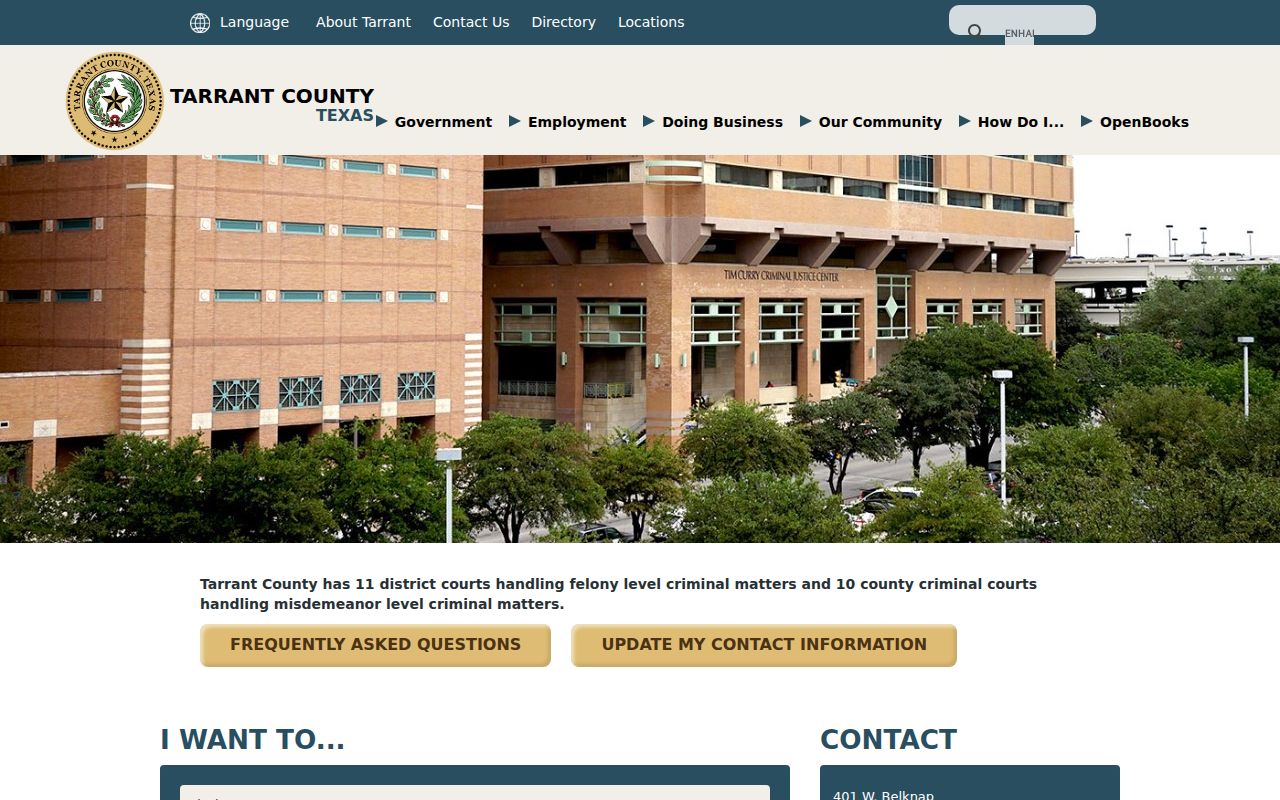
Every Tarrant County felony and misdemeanor court sits inside the Tim Curry Criminal Justice Center, and the official criminal courts hub lists them all. Those links earn their keep when a docket entry names a division but gives no phone number or courtroom.
For division names, locations, and contact detail in one place, the official court hub is the page to open.
One broad name search will not carry you far here. The court level points you to the right clerk and the right docket source.
Inside a Tarrant Criminal Docket
Think of a Tarrant County criminal docket as a chronological court register. It is not a narrative of all the evidence. Portal fields vary by system. The core items a searcher can expect appear below.
| Court | The felony district court, county criminal court, JP precinct, or municipal division. |
|---|---|
| Case number | The court-assigned identifier and best key for a record request. |
| Setting date | A scheduled event that may later be reset or continued. |
| Setting type | Arraignment, plea, pretrial, motion, trial, sentencing, or another event. |
| Charge category | The category displayed by the system, not proof of guilt. |
| Status | A procedural label that should be checked against later entries and orders. |
| Public contact | The clerk or coordinator who can confirm current calendar information. |
Read each entry for what it is. A bond entry covers a pretrial release issue. A plea setting on the docket is not proof that a plea occurred. Likewise, a disposition label may require the judgment or order before its exact terms become clear.
Tarrant DCSA Court Settings
DCSA splits its entry points between Criminal Docket and Civil Docket. It focuses on current settings. Treat it as a calendar source first. The criminal inventory includes court or division, date, case number, charge category, setting type, status, and courtroom. Some continuance or disposition information appears when exposed. Live field names can change, so the displayed labels control.
The county portal view comes from the District Clerk Subscriber Access landing page.
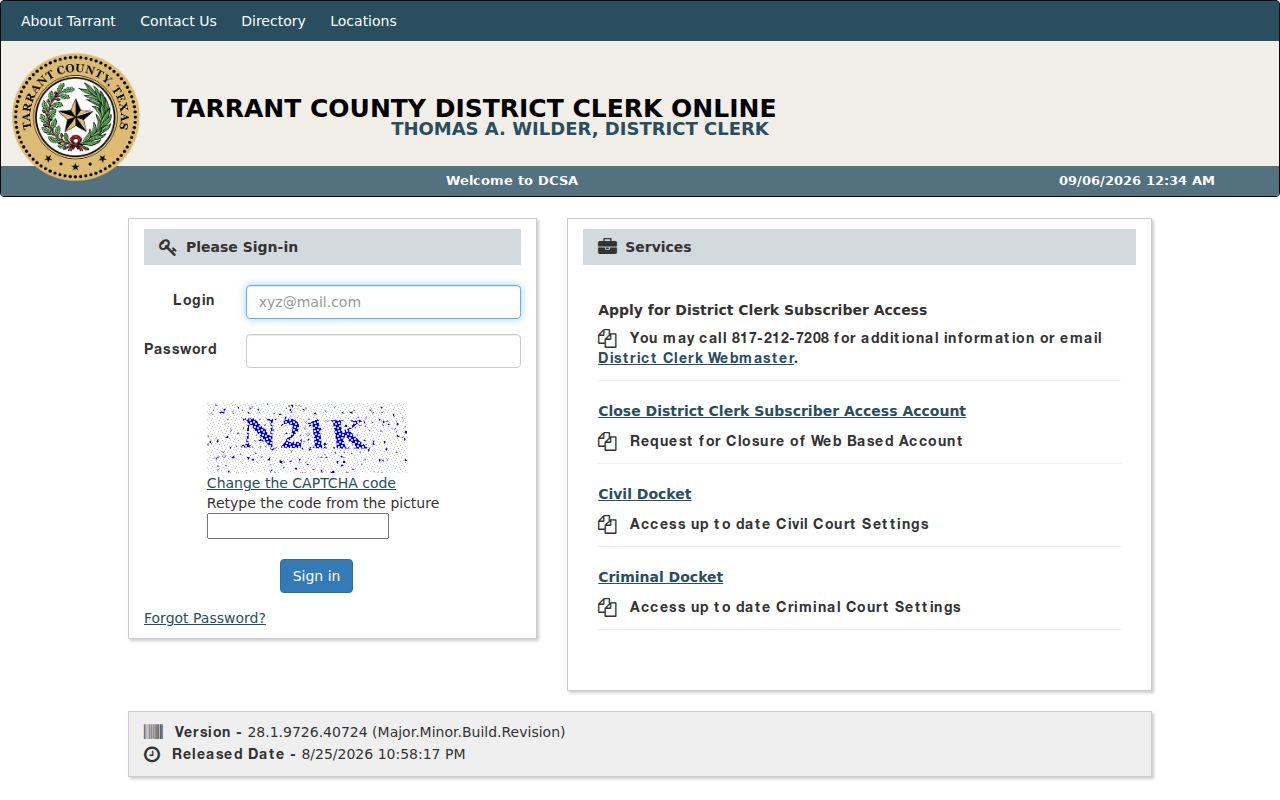
The two docket choices make a point. A current setting search is not the same as ordering a complete criminal case file. For an urgent date, save time and contact the individual court coordinator.
Best match: Use the cause number, assigned court, and filing year together. Common names alone can return unrelated Tarrant County criminal cases.
How a Criminal Case Moves
A common docket flow is Filing → Arraignment → Pretrial → Plea or Trial → Disposition → Sentencing. Not every Tarrant County case uses every stage, and the order can change. Motions, bond reviews, competency proceedings, interpreter requests, diversion reviews, and resets may appear between the main steps.
The 2026 Tarrant criminal local rules put docket management with each court's presiding judge. The judges also coordinate scheduling. That is why a general portal date can yield to a later court-specific order. The rules cover plea negotiations, case management, and interpreter timing. An interpreter request is due 28 days before jury selection for a jury trial, and 14 days before a nontrial setting. A single calendar entry can hide a real deadline like that.
- Setting
- A scheduled court event, not a result.
- Reset
- A movement to another date; the brief docket entry may not state why.
- Disposition
- A procedural or final resolution that should be checked against the underlying order.
- Capias
- An enforcement or arrest-related entry that requires confirmation with the issuing court.
Tarrant Criminal Docket Workload
The Criminal District Attorney's 2025 annual report gives system context without describing private cases. It reports 48,647 cases filed in the covered year. The split was 23,555 felonies and 25,092 misdemeanors. The report also lists 321 jury trials and 201 appellate briefs. Those counts belong to the DA's defined workload, so do not add them to District Clerk figures or read them as every court filing in Tarrant County.
Volume explains why a cause number beats a broad name search. It also makes source dates matter. A busy docket changes as courts add, pass, or reset settings.
Courts Holding Tarrant Criminal Dockets
Tarrant County splits its criminal dockets across several clerks. The District Clerk holds the records of the eleven felony district courts, while the County Clerk keeps the ten county criminal courts. Eight JP precinct courts handle Class C and related matters. Municipal courts, meanwhile, keep their own ordinance and traffic cases. The court named on the initiating paper is your best routing clue.
Location alone can mislead you. A case is not automatically a county criminal court case just because the event happened inside Tarrant County. Fort Worth, Arlington, Grand Prairie, North Richland Hills, and Euless each run separate municipal systems. If the paper names a Justice Court, the JP court directory gives precinct contacts and search links.
Federal cases are separate too. They are filed in the Northern District of Texas and searched through PACER, not DCSA or Odyssey. Appeals from state trial courts can go to the Second Court of Appeals in Fort Worth, which opens a new appellate docket.
Tarrant Specialty Criminal Pathways
Tarrant County runs several problem-solving tracks. They include Veteran's Diversion, DIRECT, family-violence and mental-health diversion, competency matters, jail cases, and more. These pathways can create their own settings or limited-access material. A name on an administrative list does not mean a particular person participates.
Watch one firm deadline. The criminal courts hub states that DPP and FAIP filing deadlines are 60 days from filing, with no exceptions. That rule belongs to those programs alone. Do not confuse it with a standard court date or a general limit applying to every criminal case.
Specialty pathways also explain why a short docket entry may not tell the whole story. A public index can show a setting while an assessment or protected report stays unavailable. Ask the assigned court about procedure. When exact terms matter, seek the filed public order.
Sealed Dockets and Public Access
Most Tarrant County criminal docket entries are public. Public access still does not open every image. Juvenile records, protected reports, sealed filings, nondisclosure matters, and expunged records can all be restricted, and Texas Code of Criminal Procedure Chapter 55A limits release and dissemination after expunction. So a missing result cannot prove that no historical filing ever existed.
For searching, start local. The statewide re:SearchTX service offers cases, filings, document text, and hearing concepts, but the Tarrant County Clerk currently warns that its connection is temporarily deactivated. Use DCSA or Odyssey first for the relevant local court. For copies, call the proper clerk. You can also visit the public counter. District Clerk copy instructions allow mail and electronic routes too. These work when the requested format permits them.
Access boundary: The Texas judiciary open-records policy distinguishes court case records from administrative judicial records. The Texas Public Information Act is not a substitute for a clerk’s court-file process.
Never infer guilt from an accusation, bond line, plea setting, or blank portal result. Read the later events and the signed judgment before stating an outcome. For a broader search by name or cause number, use the Tarrant County case lookup.
Verify Tarrant Criminal Court Dates
Court settings shift often. So write down where you saw a date, when you looked, the court, cause number, setting type, courtroom, and any update stamp. Then look again for a reset, continuance, pass, disposition, or new scheduling order. When a hearing is close, call the coordinator. An older listing may no longer control.
For felony records, District Clerk staff answer at 817-884-1342 and 817-884-1343. Misdemeanor record questions go to the County Clerk at 817-884-1195. Each office handles a different side of the criminal docket. A coordinator manages the live calendar for one court. The clerks supply docket sheets and public case documents.
Note: A portal view reflects only one moment in time. Only the assigned Tarrant County court can confirm a last-minute change to its criminal docket, so treat any online listing as a starting point, not the final word.