
How to Search Tarrant Cases
Pick the right office before typing a name. For district civil and criminal settings, start at the District Clerk DCSA portal. The County Clerk routes searches for County Courts at Law, probate, county criminal, and Justice of the Peace matters. Those go through Odyssey Public Access. Got a municipal citation? That stays with the city court that issued it.
Name searches bring their own hazards. Initials, suffixes, and old spellings vary from file to file. A broad name hit never proves a record belongs to one person. Check the court, the year, and the case type. Then check the cause number before trusting any match.
- Identify the court level from the notice, citation, pleading, or order.
- Choose DCSA, Odyssey, the JP route, or the issuing city portal.
- Enter the last and first names as the official form permits.
- Filter by court, case type, or filing range.
- Open the match and verify its cause number and court.
| Field | Use | Tarrant County note |
|---|---|---|
| Location | Choose first | Separates Odyssey court groups and JP precincts |
| Party name | When the number is unknown | Confirm with year and case type |
| Case number | Best identifier | Keep letters, hyphens, and leading zeros |
| Filing range | Narrow results | Not the same as a hearing date |
Tarrant Case Portal Map
No single Tarrant County case lookup covers every local court. The District Clerk keeps district civil, family, felony, delinquent-tax, and related matters. DCSA works best for current district settings. Paid subscriber access reaches a wider pool of case records and images. County Clerk case types sit in Odyssey. The eight JP precinct courts use either precinct-specific links or an Odyssey location.
The split matters in practice. A Class B misdemeanor is a County Clerk case. A felony belongs with the District Clerk. Probate records stay with that clerk too. A city traffic case never leaves that city's system. Search the wrong channel, and you may get a blank page even when a public case exists.
Quick check: Verify the court and custodian before changing the spelling or assuming a Tarrant County case is restricted.
How to Search by Case Number
The cause number is your strongest search key. Type it exactly as printed, keeping every letter, hyphenens, and zero. Tarrant courts follow more than one pattern, so never guess at a universal format. A blank teaching form shows the common parts. One such form is [YEAR]-[TYPE]-[SEQUENCE]. It does not claim every local court uses them.
A rejected string usually means a wrong location or search mode. Keep any prefix, since it may identify the court or case class. The clerk can confirm the accepted form by phone or at the counter. Save the number for copy orders too. Without it, staff may have to hunt for a record. The District Clerk may then charge a research fee.
Tarrant Odyssey Location Choices
Odyssey is the public entry point for County Clerk case records and calendars. The official online-search page tells you what it covers. It confirms which County Courts at Law, probate, and JP matters it handles. Choose a location before trusting any name match. The same name can appear in unrelated court groups.
The official source portal posts the Tarrant County entry point along with current notices.
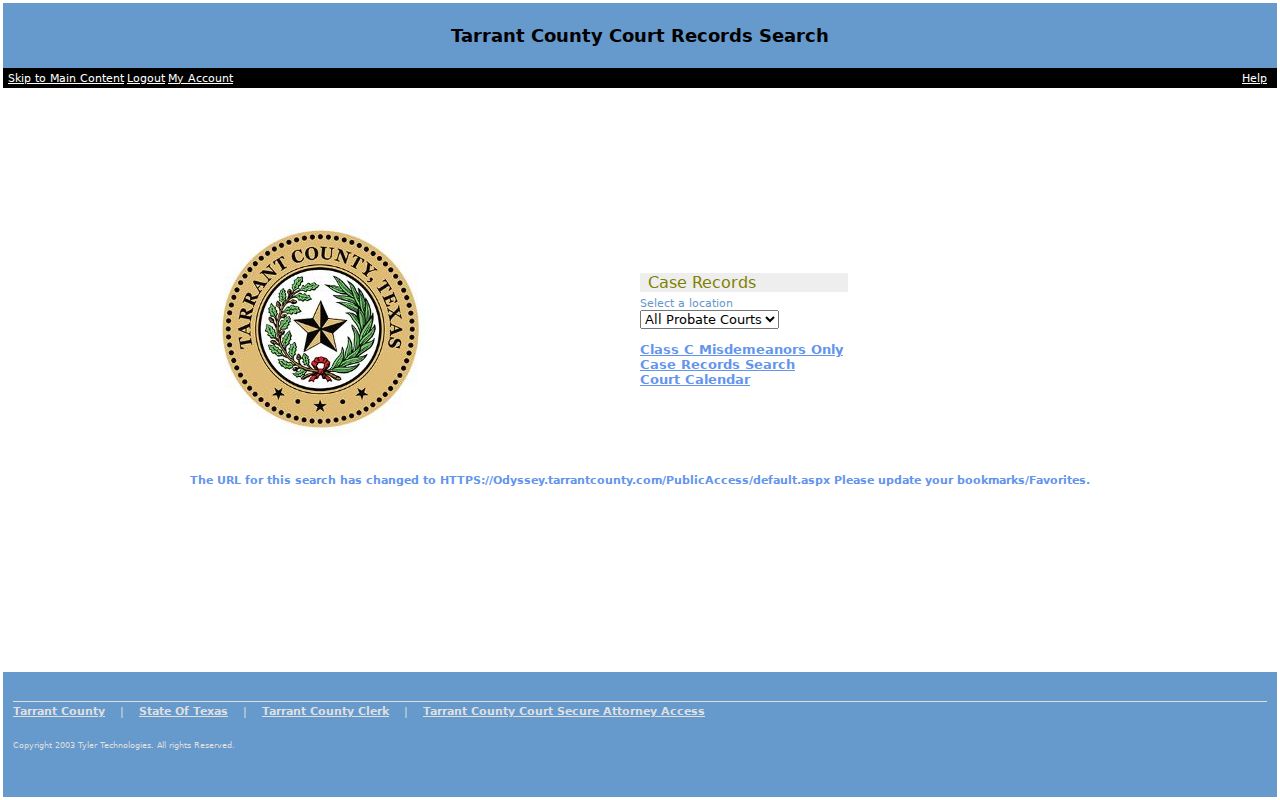
The portal gives you an index and a calendar, nothing more. For a document image, ask the clerk; for newer civil setting details, check with the court coordinator.
What a Case Search Shows
A public result can list the court, cause number, case type, filing date, status, parties, events, and the next setting. That event list is the docket, or register of actions. It is not a transcript. An "order" entry does not spell out the full terms. A reset does not mean the case was dismissed.
| Case number | The court identifier for searches and requests. |
|---|---|
| Caption | The case title or party-description line. |
| Case type | Civil, family, felony, misdemeanor, probate, traffic, or another class. |
| Status | A procedural label that needs the event trail for context. |
| Events | Filings, service, settings, orders, judgment, costs, and later action. |
| Calendar date | A setting that can change and should be confirmed. |
A filing date marks when the clerk accepted or recorded an item, which may differ from the event date. A public index can also exist with no public image attached.
Tarrant DCSA Setting Search
DCSA splits its entry points between Criminal Docket and Civil Docket. It suits a hunt for a current district setting, not a County Clerk file. Criminal fields can include court, setting date, case number, category, status, courtroom, and public contact. Civil calendars list their own fields. Those may show caption, setting type, jury status, setting count, judge, coordinator, and update date.
Civil settings in Tarrant are updated by the individual court coordinators, not the District Clerk. Note the page's update time. Confirm any urgent hearing with the assigned court. The coordinator is the sound source for a late calendar change. A setting is only a scheduled event. It is not a verdict, a judgment, or a full account of the case. Compare it with later docket entries before concluding what actually occurred.
County vs Statewide Case Search
re:SearchTX covers Texas cases, filings, document text, and hearings statewide, and it helps when you are not sure of the county. You will need an account. Note that Tarrant County materials warn the County Clerk connection is temporarily deactivated, so the service cannot fully replace Odyssey.
| Point | Tarrant channel | Texas channel |
|---|---|---|
| Best use | Known local court or number | Multi-county discovery |
| Depth | DCSA settings or Odyssey records | Depends on participation |
| Fallback | Clerk phone, counter, mail, or terminal | Originating clerk |
A statewide search never moves the official record. Copies and corrections still come from the clerk or city court that keeps the original file.
When Tarrant Results Are Missing
A blank screen after a Tarrant County docket search can mean several things. Maybe the case sits in the wrong court. Maybe the entry was posted late. Or it belongs to a city that skips the county portals. Some filings are indexed but have no open image attached. Sealed, juvenile, family, and expunged court records face limits too. Remember that a "no result" message is not proof that no filing exists.
Start over with the number and the court. Then take the right path. That may be DCSA, Odyssey, a JP court, or a city system. District users can call or stop at a subject-specific District Clerk counter.
Restricted Tarrant Case Access
Texas treats court files, other judicial records, and county administrative records as separate categories. Court files run through the clerk. Judicial administrative material may follow Rule of Judicial Administration 12. County operational records may fall under the Texas Public Information Act. Note that a PIA request cannot open a sealed case.
Other rules shape what stays out of view. Rule of Civil Procedure 21c governs sensitive data in civil filings. Juvenile material can be confidential under Family Code Section 58.008. Expunged criminal records carry Chapter 55A limits. The originating clerk can tell you which rule applies. Never put a full birth date, account number, or Social Security number in a public request. For the filed item behind an entry, use the Tarrant County court record search.